Remove devices you don't know
Manage Devices
Go to Me, then Settings, then Account Security, then Manage Devices. Remove any device you don't recognize. Menu names may vary by app version.
Keep your account, your Pay balance and your friends safe
Remove unknown linked devices, turn on Account Protection and know how to freeze the account if your phone is lost, with WeChat’s own tools.
This guide helps you secure your own WeChat account with WeChat's official tools. Review the devices linked to your account and remove unknown ones, turn on Account Protection, freeze the account if your phone is lost, set Emergency Contacts and follow the official recovery steps if you can't log in. Every step uses free settings inside WeChat.
WeChat security settings live under Me, then Settings, then Account Security. Every step below is free and built in.
Example, not your account · illustration, not the WeChat app
hack sites or apps that can open a WeChat account without its owner’s login.
Your logged-in devices in WeChat’s security settings. Remove any you don’t own.
Never scan a stranger’s WeChat QR code to unlock anything. It can sign them in or move money.
WeChat hack and tracker sites cannot open an account by ID. What really happens is simpler: one confirmed scan, or a stolen phone. Pick what happens and watch who can use your account at each step.
A login QR. Confirming lets their device in.
Your account is not locked. Close the chat.
A payment page. You would be sending money, not receiving it.
Never enter your Pay password for a stranger.
A friend’s account may already be taken. Approving can help someone into an account that is not theirs.
Call the friend on the phone before you do anything.
WeChat says its support does not contact users through personal accounts and never texts asking for passwords.
Block and report.
WeChat ties your account to your phone number and the devices you log in from. Protecting it means knowing which devices are trusted, keeping your password and linked phone current, adding Emergency Contacts and knowing how to freeze or recover the account. The cards below cover each area and link to a detailed page.
Remove devices you don't know
Go to Me, then Settings, then Account Security, then Manage Devices. Remove any device you don't recognize. Menu names may vary by app version.
Keep unwanted calls away
Limit who can add you, block and report accounts that harass you and never share a code with a caller.
Share only when you choose
WeChat shows your location when you send it in a chat or use People Nearby. Learn how to clear it and turn features off.
Lost your phone? Act fast
If your phone is lost or stolen, freeze your account through the WeChat Security Center or ask a friend to help freeze it from their WeChat.
Use Unable to Log In? and Emergency Contacts
If you can't log in, tap Unable to Log In? on the login screen. Friends you set as Emergency Contacts can help confirm your identity in WeChat.
Real spyware lives on your own phone: check itExample conversation · illustration
Keep your chat history on devices you control
Your chats appear on devices logged in to your account. Remove unknown devices, log out of shared computers and back up chat history to your own computer so you don't lose it.
Settings that protect your chatsStop access while you get a new phone
Freezing blocks use of your account but doesn't delete it. Unfreeze when you're ready. Avoid freezing and unfreezing too often, or WeChat may lock it for safety.
Frozen or blocked? Decode the noticeClear People Nearby and turn off Shake
In People Nearby, open the menu and choose Clear Location. To turn off Shake, go to Me, then Settings, then General, then Manage Discover.
WeChat location tracker: who can see where you areUnknown devices in Manage Devices, messages or payments you didn't make, login alerts or a changed password are reasons to secure your account now.
See every device that can log in to your WeChat in Manage Devices and remove the ones you don't recognize.
Mark each device: yours or not?Set a strong, unique WeChat password so a code alone isn't the only way into your account.
Keep your WeChat Pay password private, review transfers you don't recognize and never pay fees to unlock or recover an account.
WeChat shows your location only when you share it or use People Nearby. Learn how to clear location and turn features off.
WeChat location trackerSet Emergency Contacts you trust. They can help confirm your identity if you lose access to WeChat.
If your phone is lost, freeze your account through the WeChat Security Center or with a friend's help.
Frozen or blocked? Read the noticeIf you can't log in, tap Unable to Log In? on the login screen and follow WeChat's official steps.
Official routes backLearn to spot fake support, fee requests and paid offers that claim access to WeChat accounts.
These three steps cover the most common ways WeChat accounts are lost: an untrusted device, no password and nobody to confirm your identity when you are locked out. Repeat them every few months.
Open Me, then Settings, then Account Security, then Manage Devices. Remove any device you don't recognize or no longer use. Menu names may vary by app version.
Set a strong WeChat password you don't use anywhere else, and turn on Account Protection for extra checks on new logins.
Set trusted friends as Emergency Contacts. They can help confirm your identity if you ever need to recover the account.
All of these settings are free inside WeChat. WeChat says its service is free, so treat fee requests as fraud.
Every protection on this page is built into WeChat and free to use. The plans below are this site’s optional paid service; no plan opens another person’s account, and any site that charges to hack one is a scam.
Unlimited Access
No limits, full access to all features
24/7 Priority Support
Fast help whenever you need it
One-Click Recovery
Instant restore with a single click
Free forever
1 number
3 numbers
5 numbers
Add Emergency Contacts you trust. They can help you confirm your identity when you can't log in. The setting takes effect 24 hours after you set it.
WeChat states it will never send text messages asking for your password, bank details or payment details. Delete such messages and don't click their links.
A friend asking for money or a code may be using a stolen account. Confirm by calling them or another channel first.
Keep your linked mobile number current. An old number you no longer own is a common reason owners can't finish verification after they lose access.
Ignore any site that sells access to a WeChat account. It cannot deliver, and the money or login you hand over is what gets stolen.
Put a reminder in your calendar to review devices, password and Emergency Contacts every few months. It takes little time and catches problems early.
Common WeChat Security Questions
Go to Me, then Settings, then Account Security, then Manage Devices. Remove any you don't recognize. Removed devices need verification to log in again. Menu names may vary by app version.
No. A WeChat ID or phone number gives no access to your chats. Sites that sell this are scams. Real risks are a known password, an unknown device and an unlocked phone.
Freeze your WeChat account through the WeChat Security Center or a friend's WeChat. Unfreeze it later and change your password.
No. Sites claiming to hack WeChat by username or number are scams or malware. Nobody can legally or technically open another person's account. Protect your own instead.
If you can't log in, Emergency Contacts can confirm your identity in WeChat during recovery. Add trusted friends in advance in your account settings.
Tap Unable to Log In? on the login screen and follow the steps. Friends may help verify you. Only WeChat can restore access.
WeChat warns about scammers posing as customer service, police or friends. Verify identity on your own before you send money.

Profile photo, last seen, phone number and metadata: what your messengers reveal about you, and the privacy settings that limit it in each app.

In 2020, headlines said Cellebrite cracked Signal. Its encryption was not broken. What actually happened, and how to protect your own Signal account.

Login-code phishing, fake Premium gifts and forgotten sessions: how Telegram accounts are stolen and which settings keep yours safe.

Phishing, code theft, SIM swaps, linked devices and spyware: how messenger accounts really get taken over, and the settings that stop each one.
How to Clear Your Location in WeChat People Nearby Quickly People Nearby lists you for less than 24 hours after you open it. Learn how to clear your location right away and how to turn off Discover features you don't use.
More messenger guides: LINE Security QQ Security Discord Security
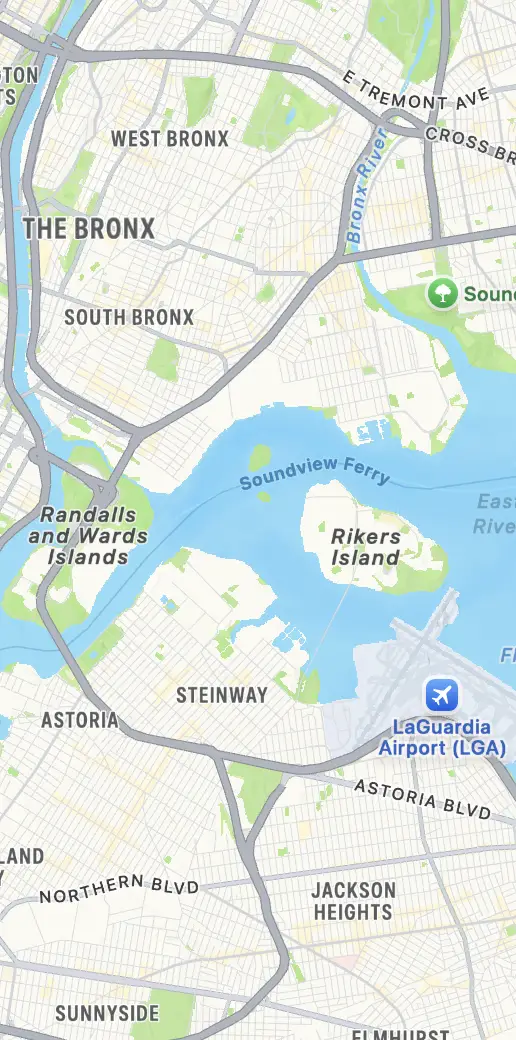 Share only when you choose